Use Cases

Every team has the person everyone asks. Most of what they get asked repeats: the same expert answers the same questions 90% of the time. The worker waits, the expert switches context, and productivity is lost.
Training alone doesn't close that gap. Formal training is a small share of how people learn, probably less than 10%. Most learning happens on the job: at the machine, inside the application, in the middle of a hard conversation.
The answers usually exist already, in CAD files, manuals, procedures and training videos that nobody can search with their hands full. And in aerospace, defense or manufacturing, that knowledge often has to stay inside your own network.
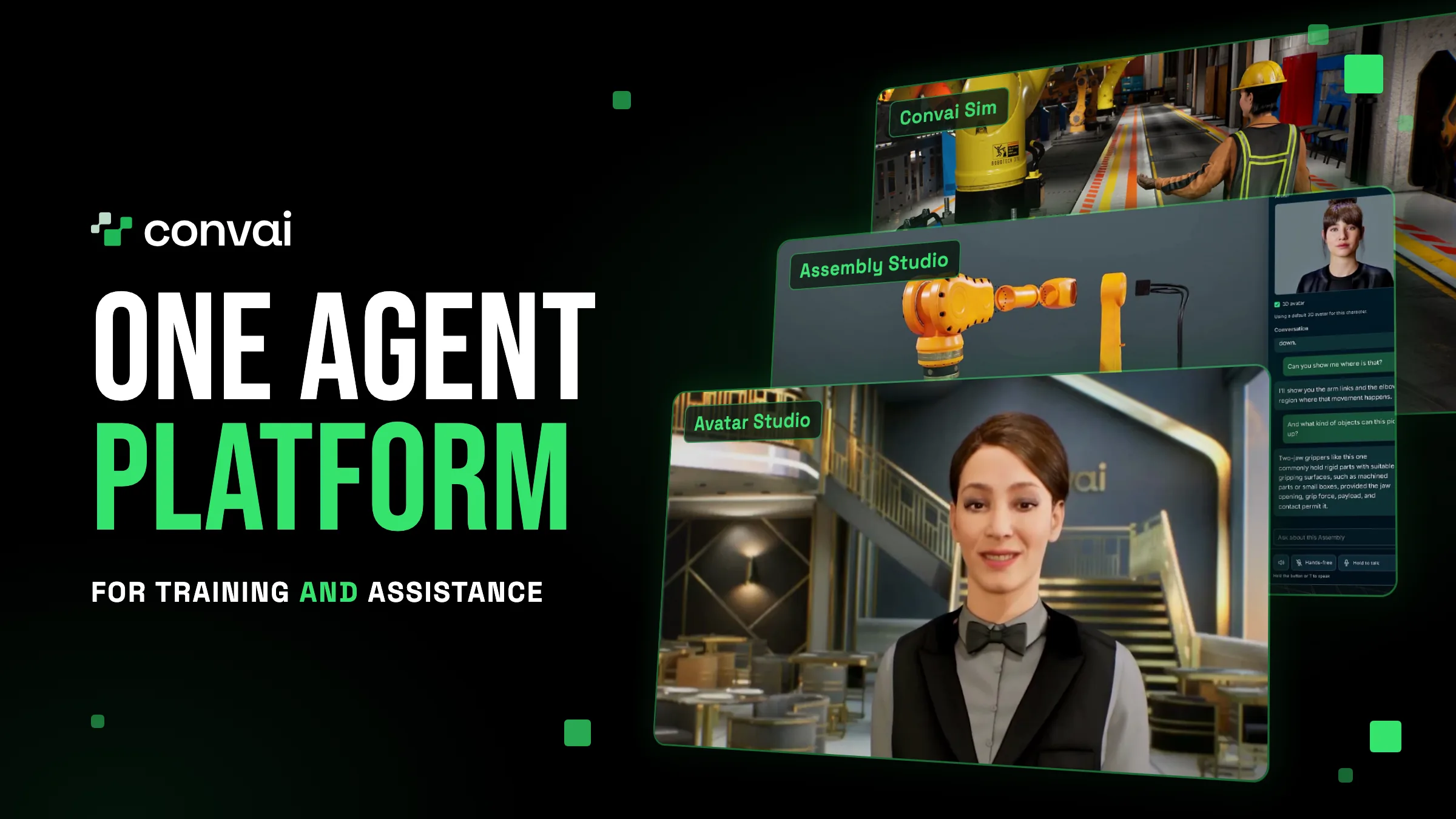
Convai is one agent platform for both jobs: training your people and helping them while they work. Build an agent on your own servers or in your own cloud, connect it to your documents, CAD models and systems, and deploy it into your applications, your 3D simulations and the devices your people carry. The same agent and the same knowledge can then support someone learning a procedure in 3D and doing it on the real equipment.
Before you evaluate any single product, look at what sits underneath it. Read the platform as a stack: your AI data center at the bottom, then the AI models and agent infrastructure, then the SDKs and products that bring agents to your people.
Your AI Data Center · GPU Cluster
AI Models: Speech-to-Text; Vision-Language Models; Text-to-Speech; Animation Generation; Multimodal Embedding; World Action Model. Or plug in your own AI models.
Agent Infrastructure: Agent Creation & Deployment; Agent Runtime; Scalability; Observability; Authentication; + more.
Application SDKs: Web / Computer Applications; Simulation Engine SDKs — Unity, Unreal Engine, Omniverse, JavaScript.
Spatial 3D Products: Avatar Studio; Assembly Studio; XR Applications; Convai Sim.
Use Cases: Application Assistance — Agentify any application; 3D Simulations — Agentify any 3D simulation; Interactive Kiosks — Kiosks for trade shows and shop floors; Soft Skills Training — Sales, HR, leadership and difficult-conversation training; Equipment Training — Voice-guided training on CAD models: spatial reasoning and step-by-step procedures; Physical Work Assistance — Multimodal vision and voice assistance in any XR headset; Digital Twin Tours — Explorable 3D twins from CAD and Gaussian splats, with AI avatar guides for tours and training
Convai Playground: Agent creation & management; MCP with OAuth; Active Directory integration; Multimodal knowledge bank; Long-term memory; Mindview; Workspaces; + more
Your users, your permissions: Respects your app’s existing auth; Each user keeps their own access; Passed securely via MCP OAuth (JWT).
Find the use case closest to yours and the part of the platform that serves it:
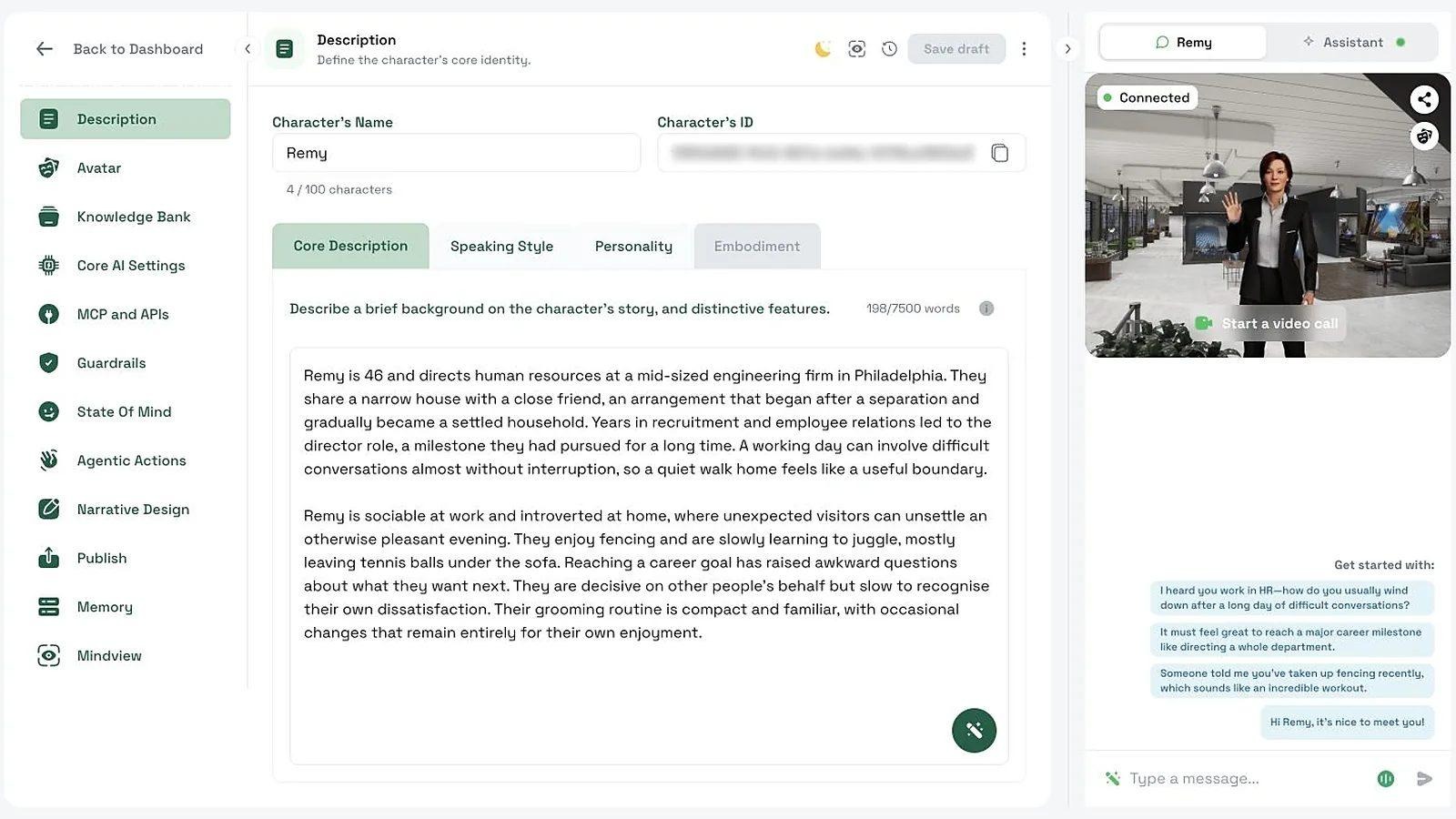
An AI that knows your equipment and procedures needs more than a chat window, and the foundation is where you build it. Create an agent, configure how it works, connect your data, and deploy it into your applications, browsers and other environments, then manage and monitor it from the same platform. Everything in the layers above builds on these agents, so the work you put into one agent carries across.
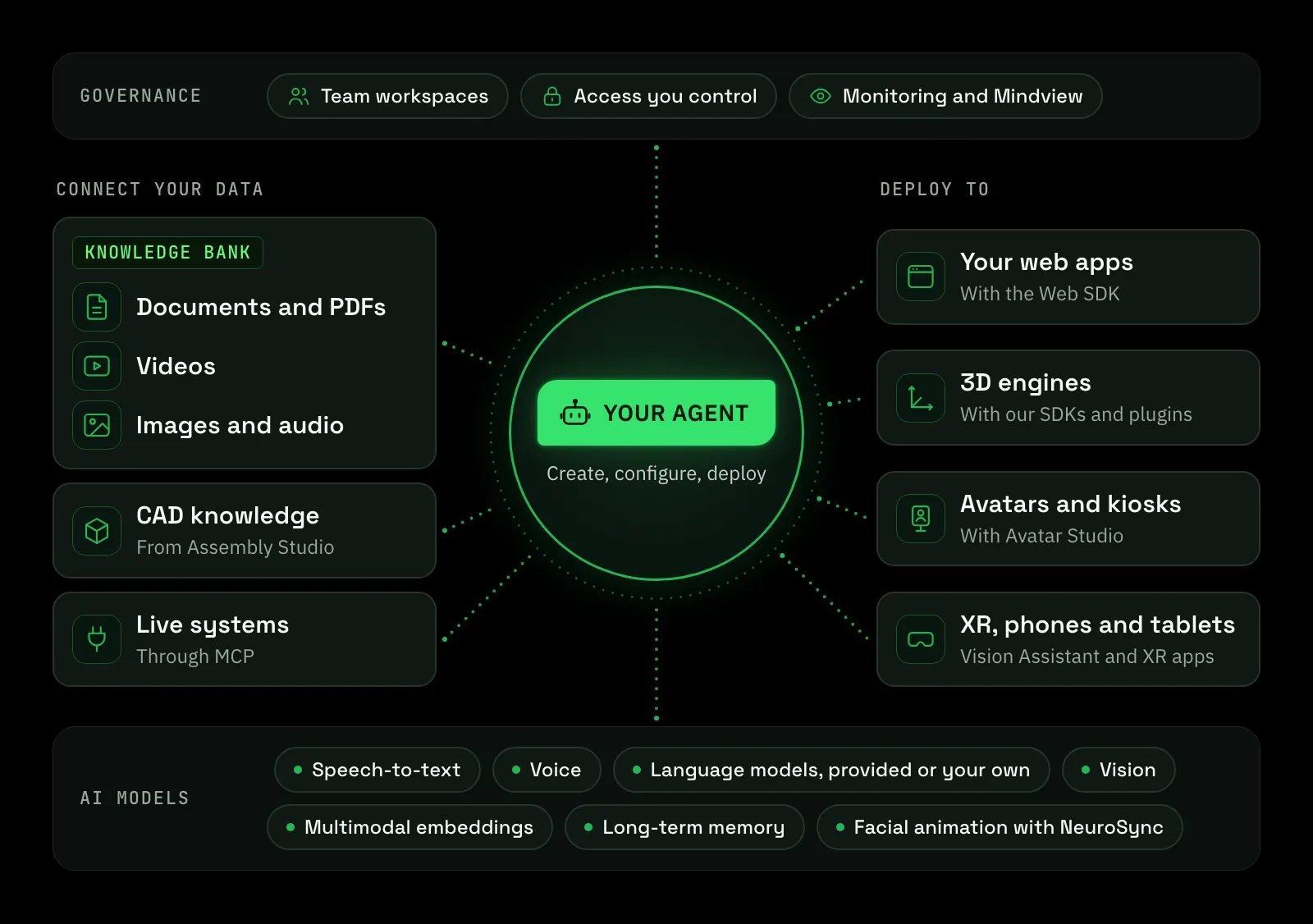
A technician asks a question out loud. The agent has to hear it, understand it, look at what they're showing and answer in a natural voice. The platform provides the models an agent needs: speech-to-text, voice generation, large language models, vision understanding, multimodal embeddings and long-term memory, plus NeuroSync, Convai's own model for real-time facial animation.
If your security team has signed off on a language model, you don't have to give it up. Use the models the platform provides, or connect the LLMs your enterprise already approves through an OpenAI-compatible endpoint. Convai also works with the AI services and infrastructure you already run, from agent SDKs and MCP servers to data sources and existing training workflows.
Also watch: Connect your own private LLM (developer walkthrough)
Bring documents, PDFs, images, audio and video into the Knowledge Bank. The agent draws on all of it in context during a conversation, including what it sees and hears in your training videos. Upload a lathe training video, for example, and the agent answers setup questions from the footage.
Also read: Convai In-Context Knowledge Bank: Multimodal Knowledge for AI Characters
To reach live systems, connect your agents to MCP servers. MCP (Model Context Protocol) is an open standard for connecting AI agents to tools and data. The agent discovers each server's tools and calls them mid-conversation to look up live data or take an action in your systems.
Around each agent, the platform runs the infrastructure it needs in production: the agent runtime, scaling, observability and authentication. Supervise every agent from one place: teams work in their own workspaces or share one, review past sessions, and monitor usage and analytics across your agents and the people using them. Mindview shows the full prompt behind any response, so your team can trace and fix unexpected answers.
Your IT and security teams will ask where the system runs, what it can reach and who controls access. Run the whole platform on your own servers or in your own cloud. Every component ships as a container, nothing leaves your network, and it can run fully air-gapped. Convai is SOC 2 compliant. Convai Enterprise lays out the deployment options.
Your agents reach your systems only through the MCP servers and credentials you approve, and those servers decide what they return. MCP connections can use OAuth: sign in to the provider once, and Convai stores the tokens encrypted and refreshes them automatically.
You also control who gets in. Your API key stays on your server, and the browser connects with a token you issue. Connect Convai to your directory, such as Active Directory, so access to the platform follows the groups you already manage.
A field engineer filing a long service report, or a new hire lost in an internal portal, needs help inside the application they're using. Add an agent to your web application or portal with the Web SDK. It can interview a user to fill in a long form, navigate the app, highlight what matters and bring up relevant information.
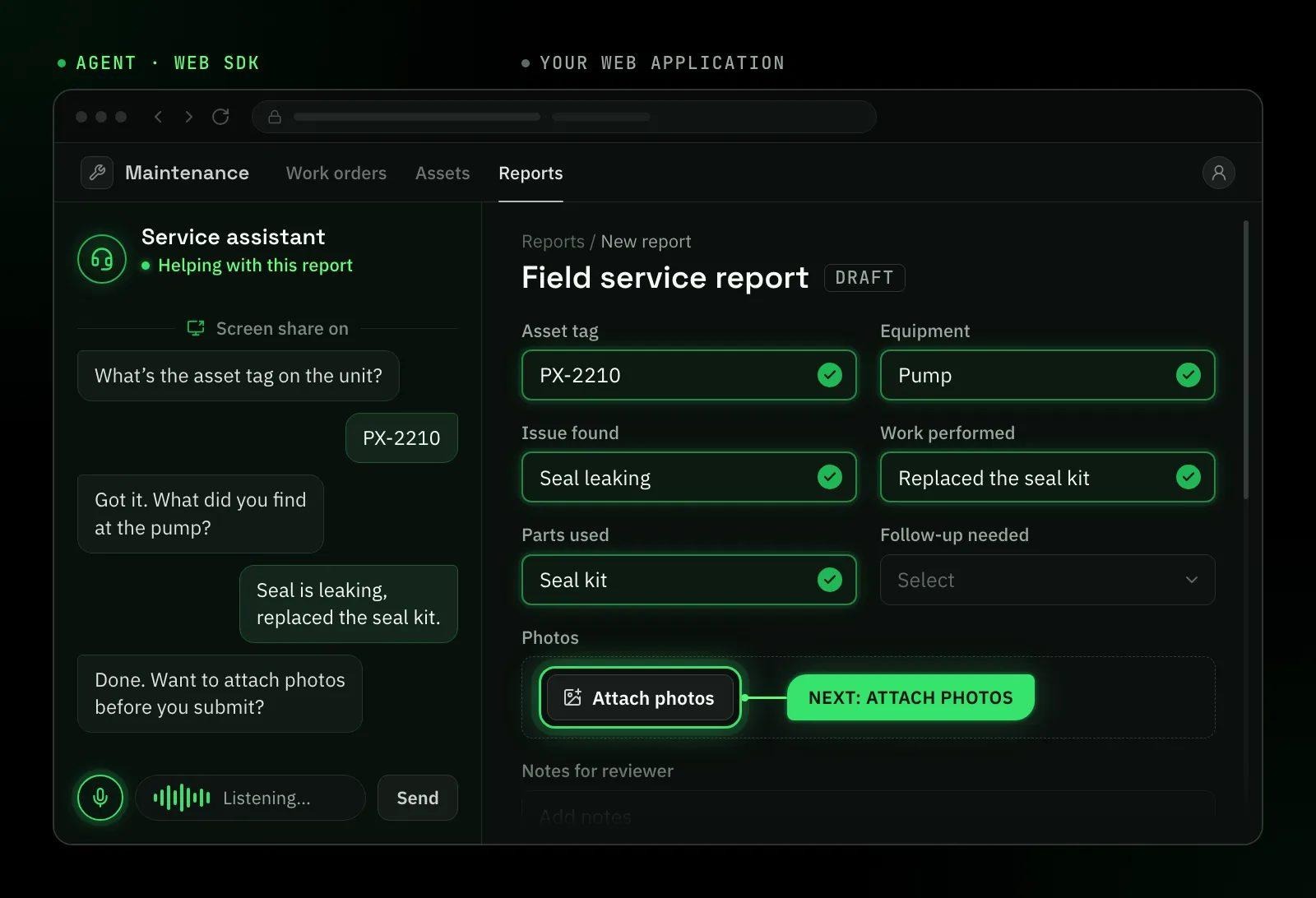
Your application stays in charge. As the website assistant guide explains, the agent names an action, and your code decides whether and how to run it. With camera and screen share turned on, the agent sees what the user sees while it helps.
Already building training simulations in a game engine? SDKs and plugins for Unity, Unreal Engine, NVIDIA Omniverse and three.js bring the same agents into your 3D simulations. The Unity and Unreal Engine SDKs also cover desktop applications, and they include MCP tools, so your coding agents can add, configure and troubleshoot Convai characters in your project.
Also watch: Unity: agents that move and act in your 3D scene (developer walkthrough)
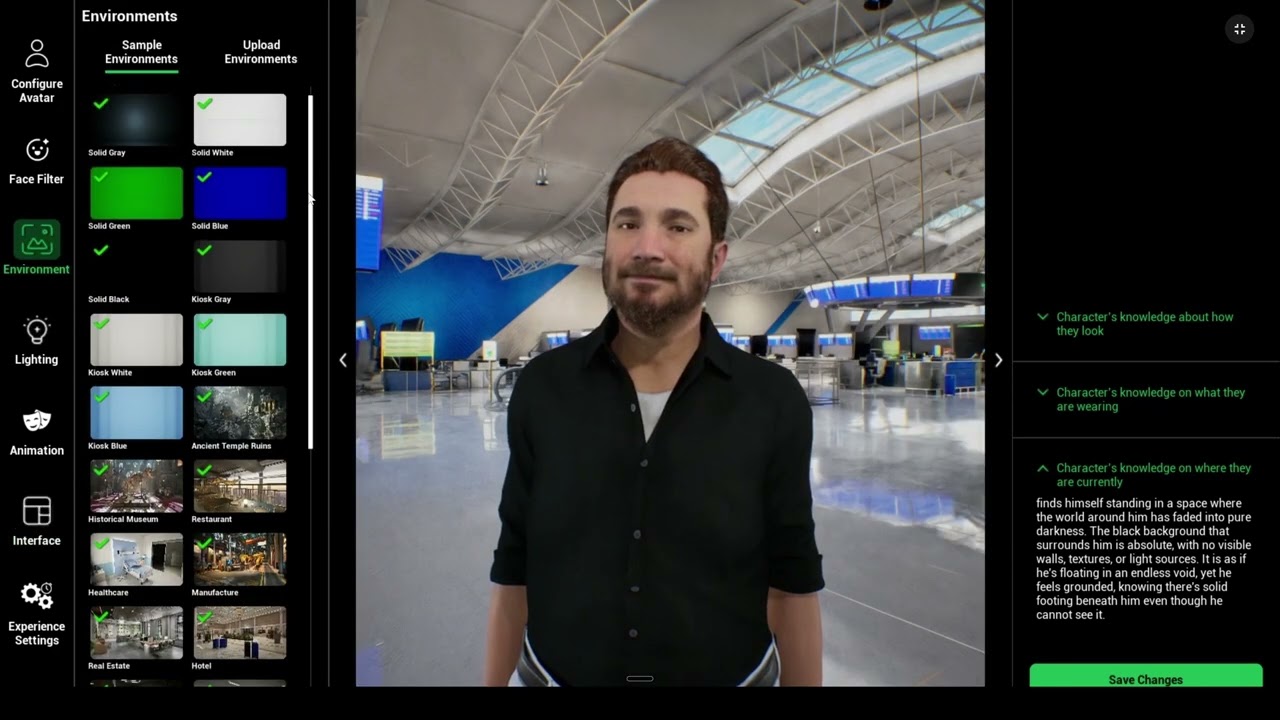
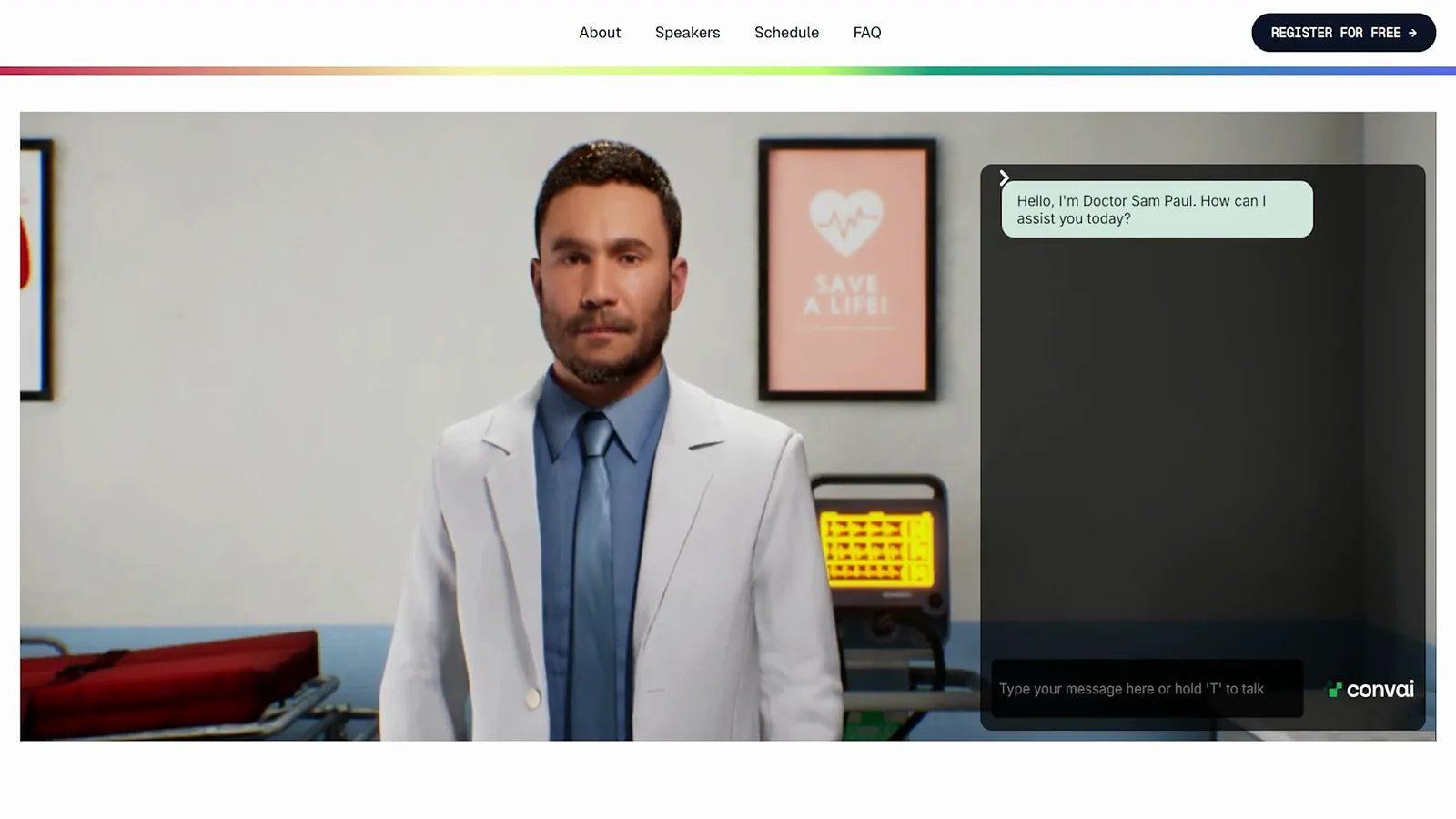
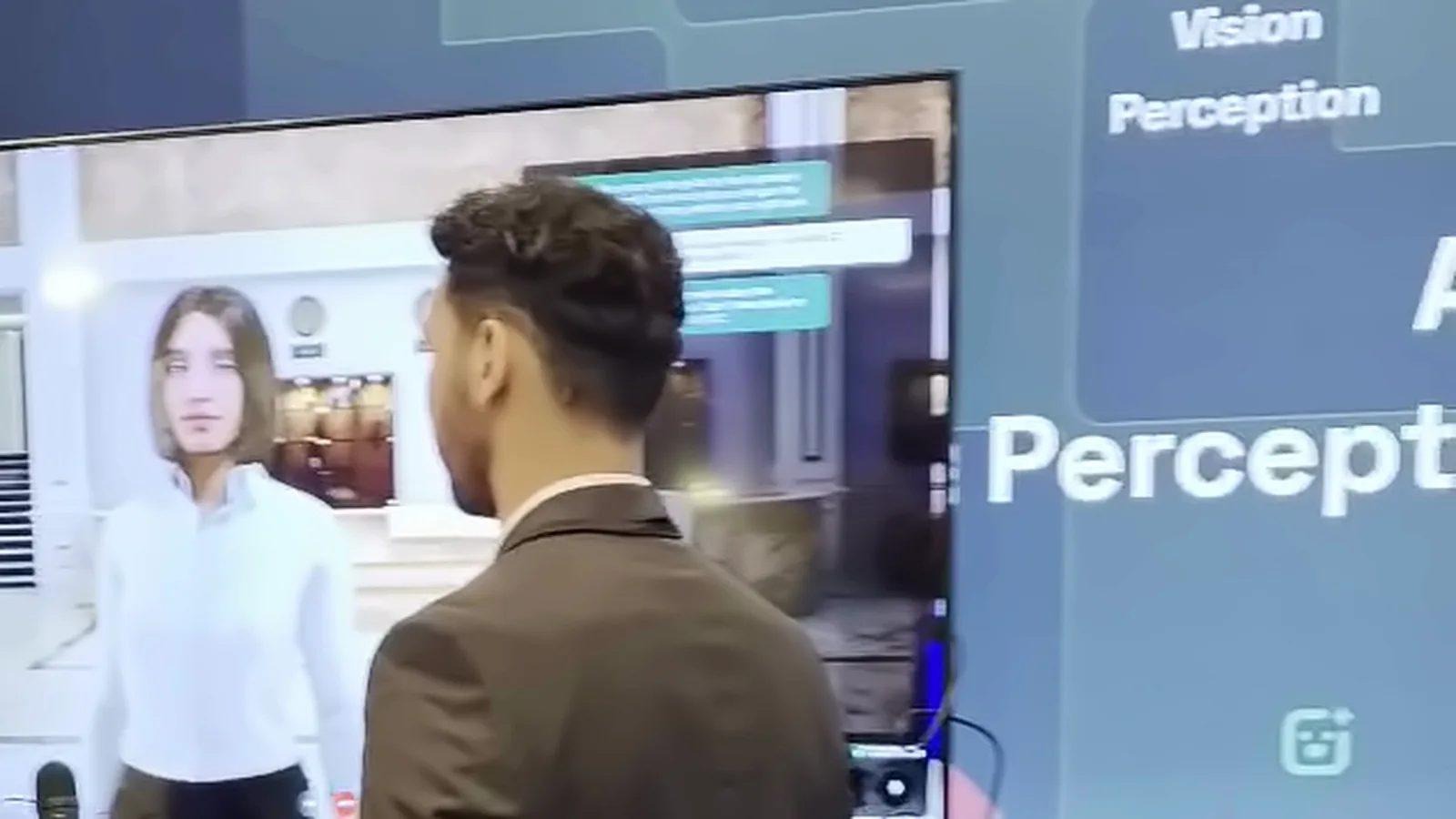
At a busy booth, or on a shop floor where nobody is free to answer, a face that listens does more than a printed sign. Put an avatar from Avatar Studio on a kiosk at a trade show, on the shop floor or in an exhibition.
With a camera enabled, it can see the people in front of it, answer their questions and bring up relevant visuals. You build the avatar experience in your browser, and it runs in a browser too, so the kiosk has nothing to install.
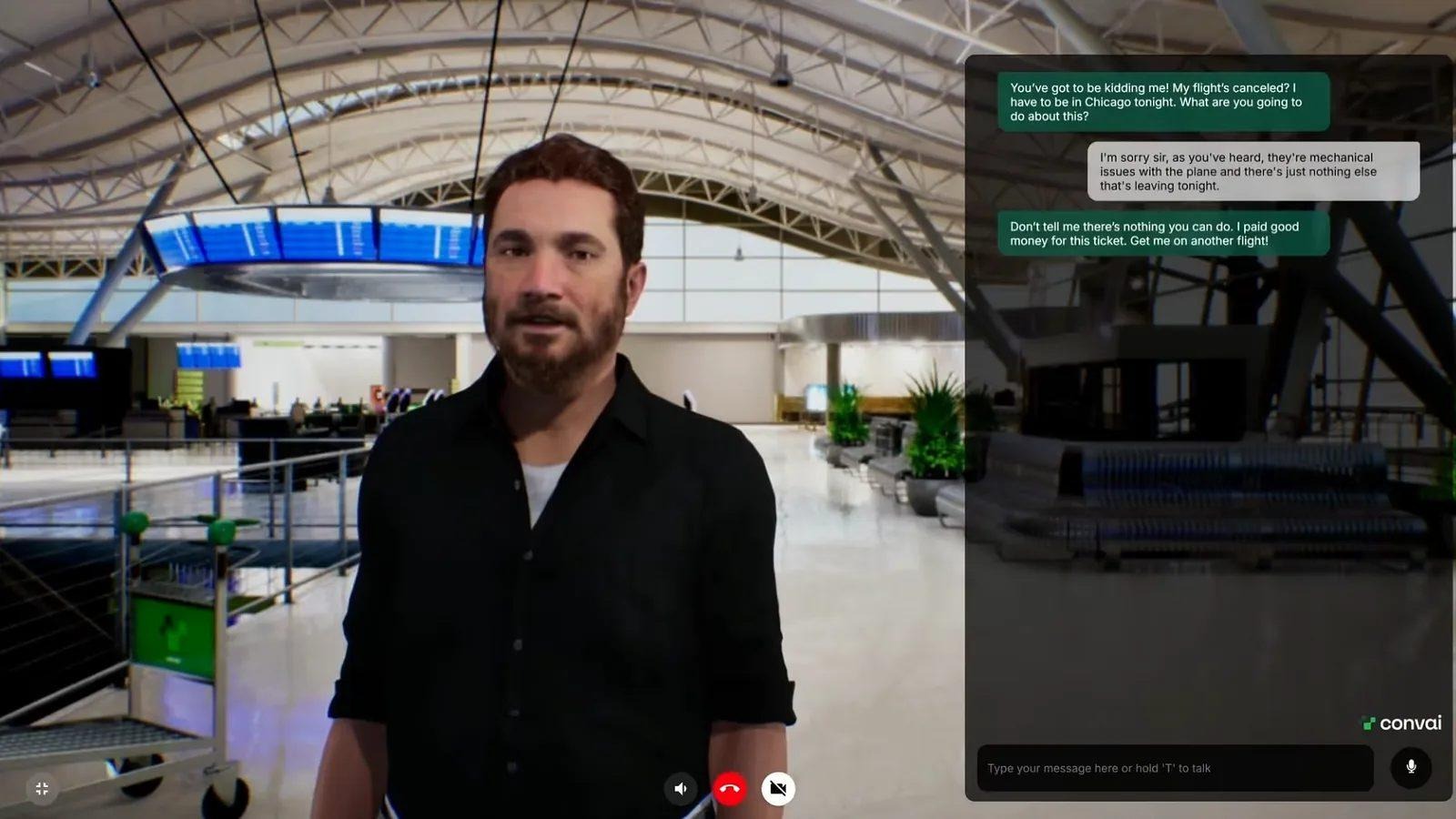
A manager's first attempt at hard feedback, or a sales rep's first tough objection, shouldn't happen with a real employee or customer. Use the same avatar for soft-skills practice: sales conversations, HR scenarios, leadership coaching and difficult conversations. Then score each session against criteria you define with the Evaluation API.
Also read: AI Roleplay Training Platforms: What the Research Actually Says
For a new machine, the most complete description is often the CAD model, sitting in software your technicians never open. Bring that model into Assembly Studio, even a complex assembly. It breaks the model into parts, reasons about how they fit together in 3D, and links them to your manuals, documents and videos, so you can ask, "How do I use this device?"
It reads the mechanics, too. From the CAD file alone, Assembly Studio works out how each component attaches and the order in which parts come off, then shows every step with an animation built for your question, much like 3D work instructions.
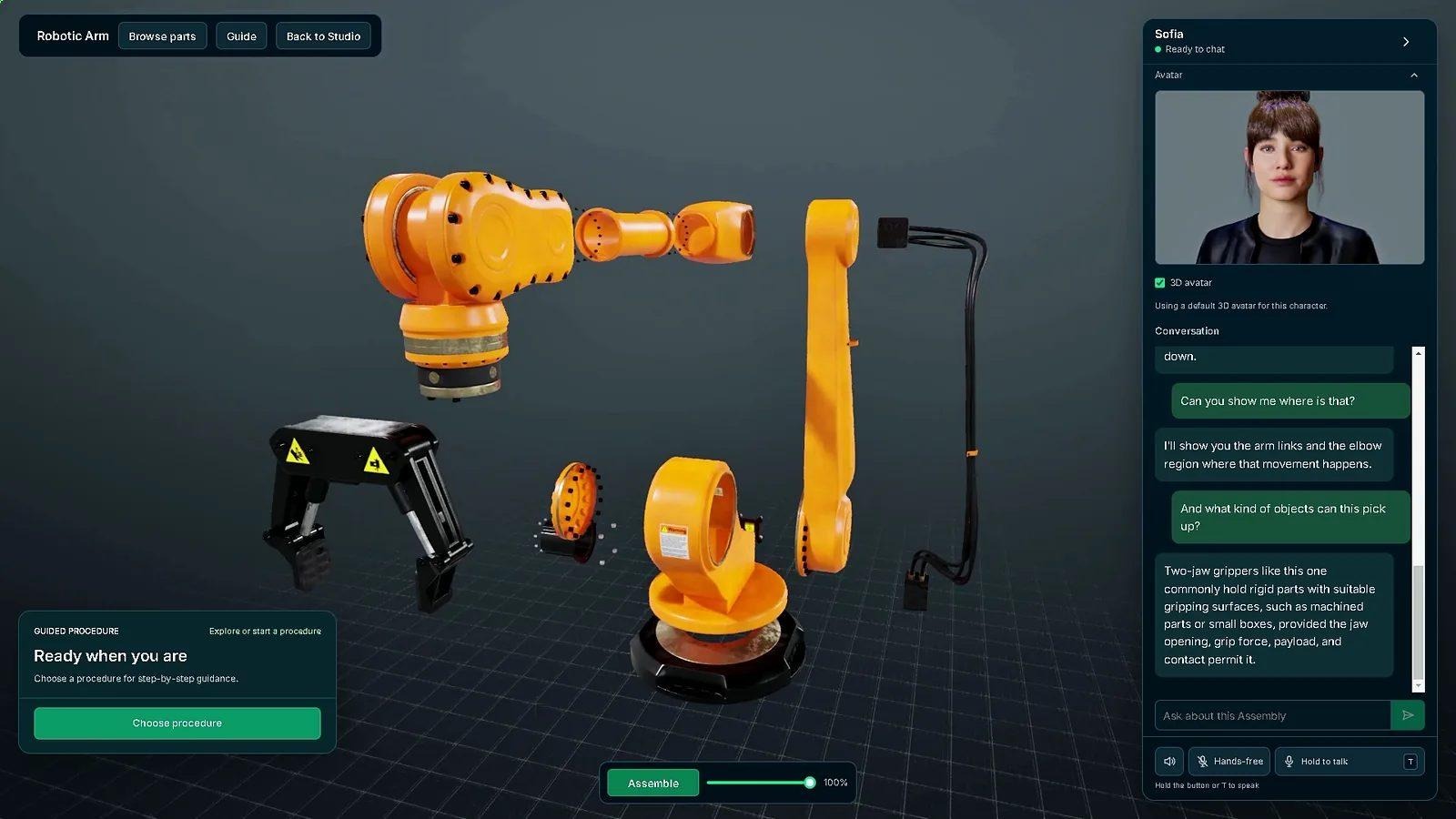
You don't have to build a course by hand, either. Describe a procedure in a prompt and Assembly Studio drafts a step-by-step course. Your expert reviews it, then the AI guides each learner through the steps and quizzes them as they go.
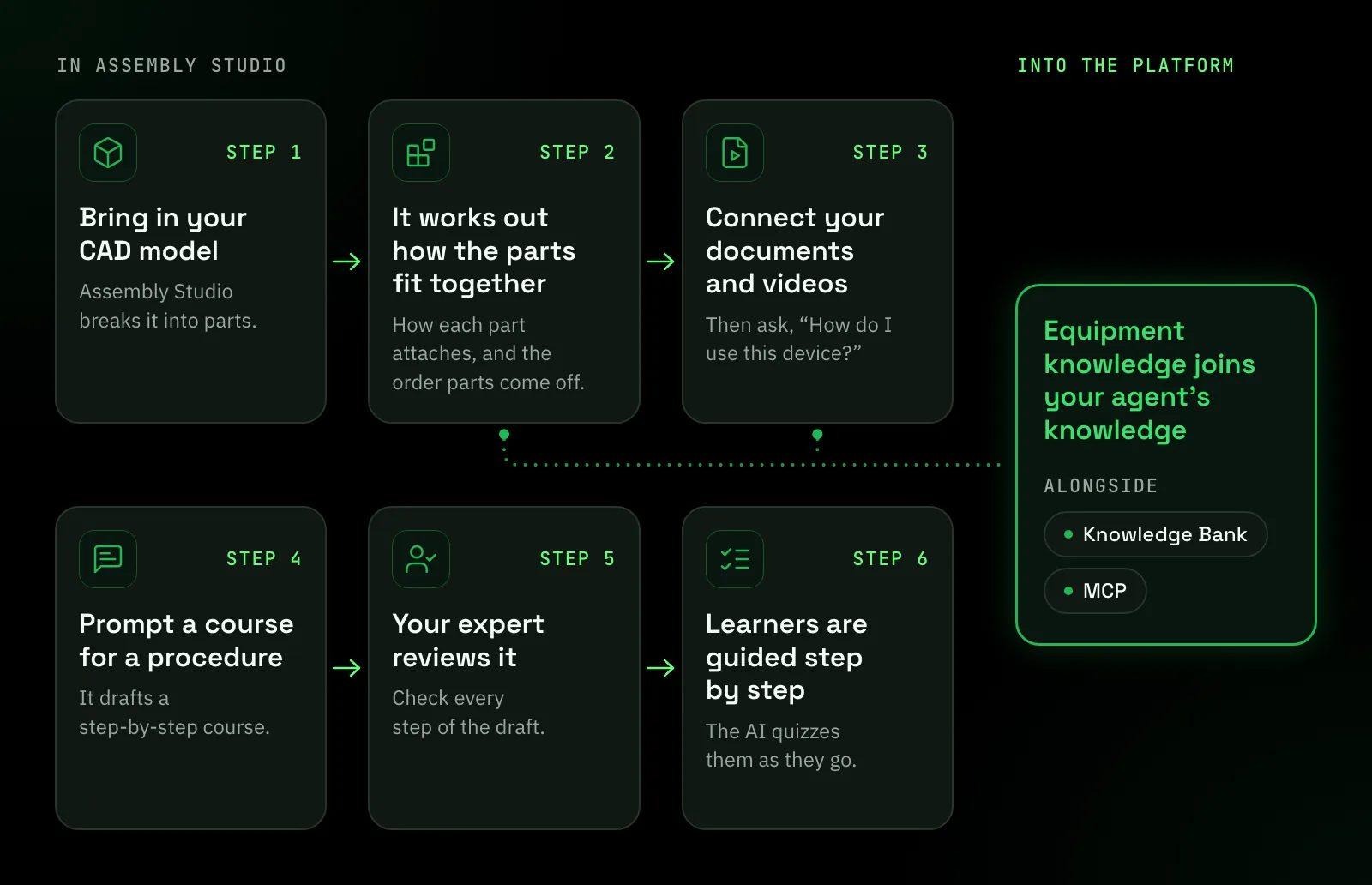
Assembly Studio is also how CAD knowledge enters the platform. Once a model is ingested, it becomes part of your agent's knowledge, alongside your Knowledge Bank and MCP connections.
Also read: Industrial AI Assistant for Manufacturing Training: Putting Expert Knowledge at the Point of Work
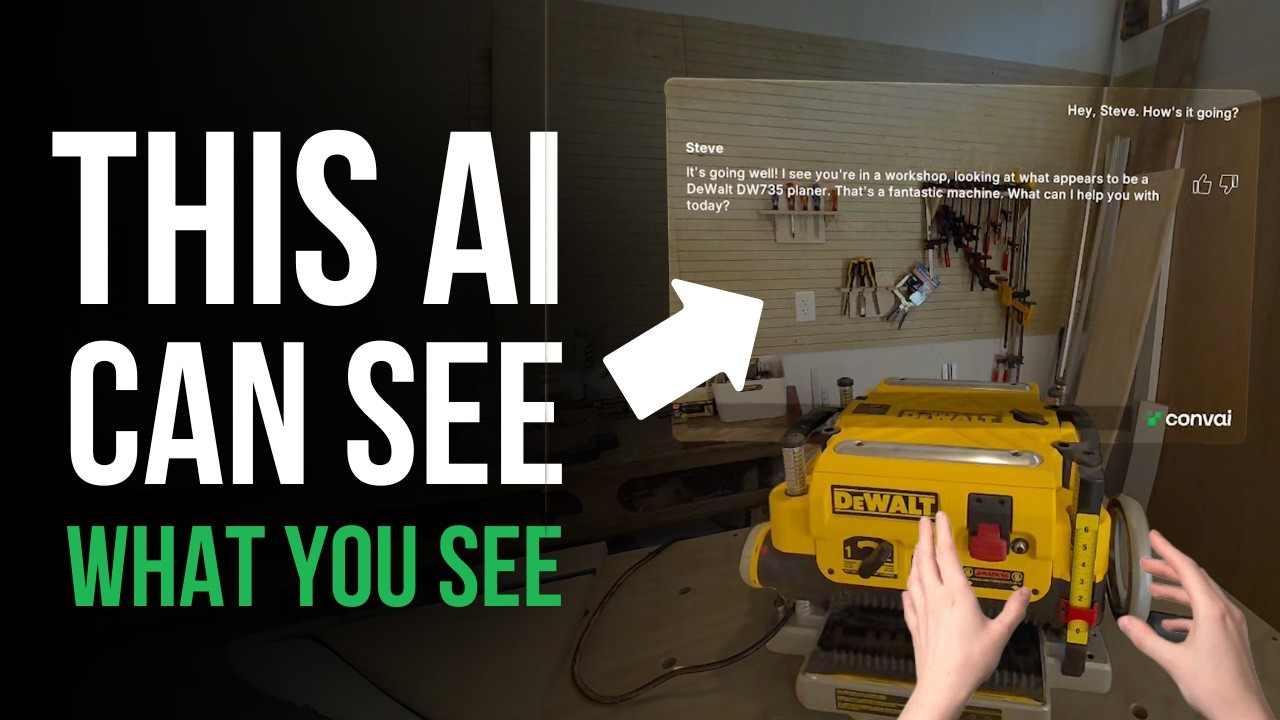
Learning a procedure is half the job; the other half happens at the machine, often with both hands busy. With Convai's Vision Assistant on a phone or tablet, or an XR app built with our plugins, the AI sees what your technician sees and guides them step by step through the procedure on the real equipment. Or set up a camera beside the workstation, so the AI watches the task like an expert standing next to your technician and helps them through it.
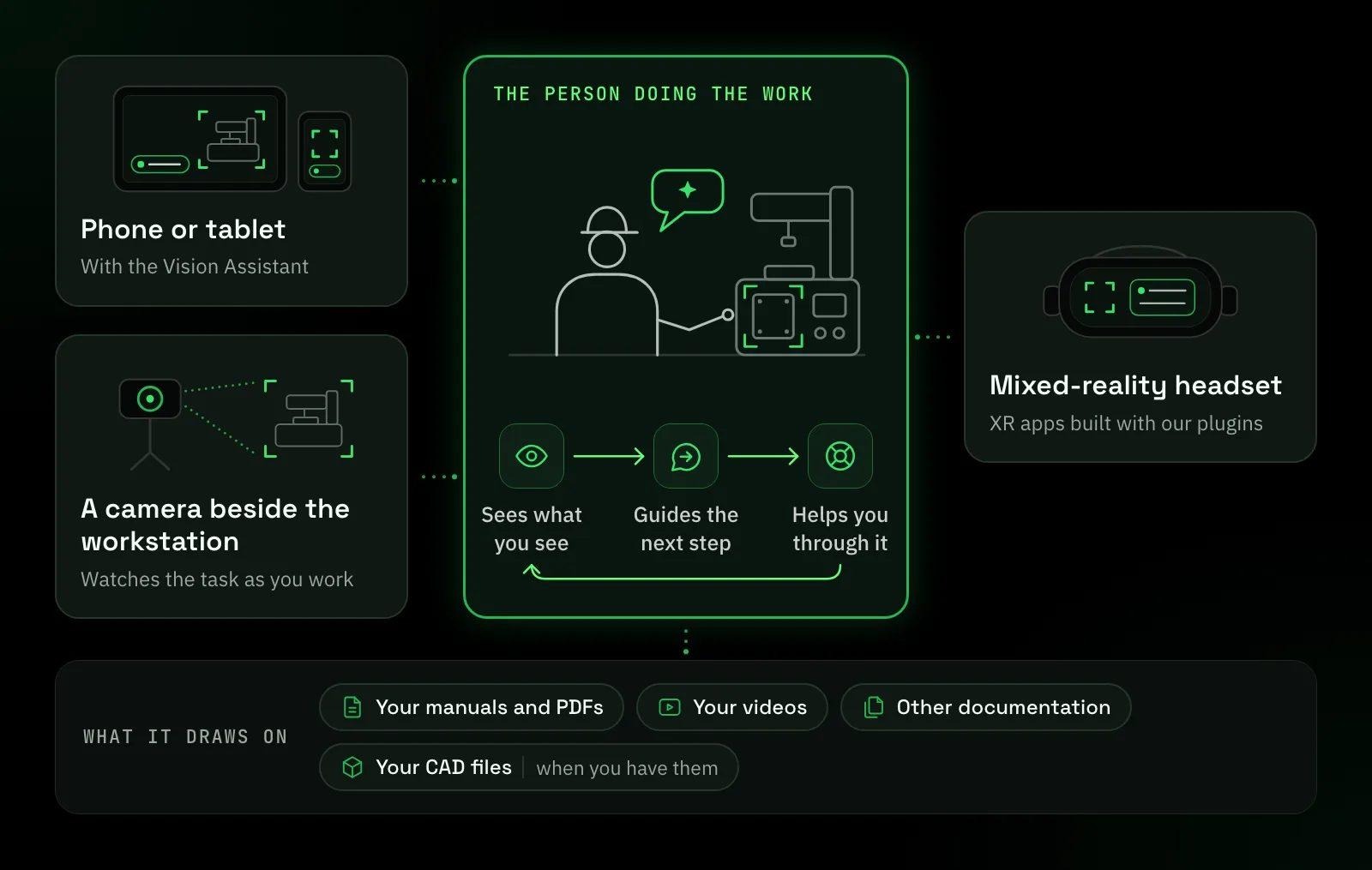
For headsets, build XR applications with our Unity and Unreal Engine plugins that give technicians vision and voice assistance. On Meta Quest 3, the AI can see through the headset's passthrough cameras.
On the job, the same AI knows your CAD files and connected knowledge sources, and answers at the point of work, wherever your technician asks. That is why Assembly Studio and the Vision Assistant work hand in hand: your people learn the procedure on the CAD model, then get guided through it on the real machine.
No CAD file? The Vision Assistant also works from the videos, PDFs, manuals and documentation you've already connected.
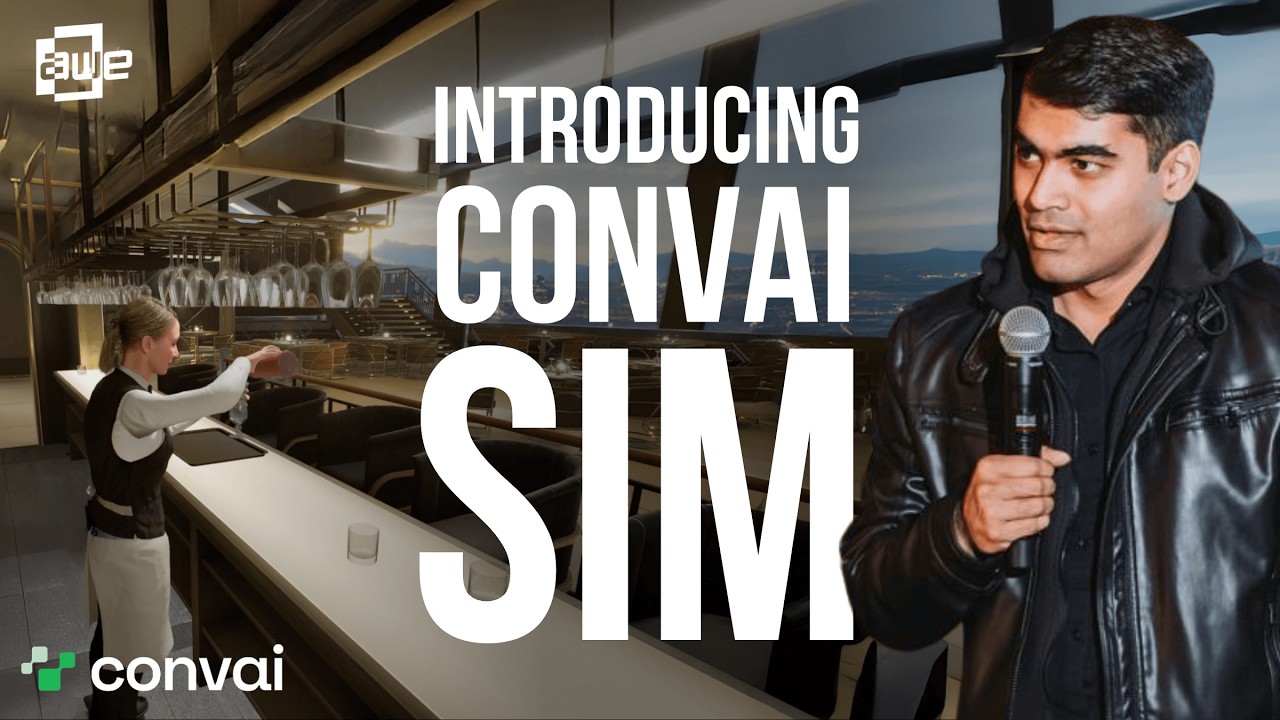
Some things are best learned in a replica first: a facility new hires haven't walked yet, or a procedure too risky to practice on the live line. Capture your factory floor, a machine or a component with Gaussian splatting, and bring it into Convai Sim as a realistically rendered 3D environment: a digital twin your people can explore. Then connect it with your CAD knowledge and other information.

Place several avatars in one scene, each with its own knowledge and backstory. Trainees walk up and talk to them, and an avatar can lead a tour of the facility or act out a procedure you recorded in VR.
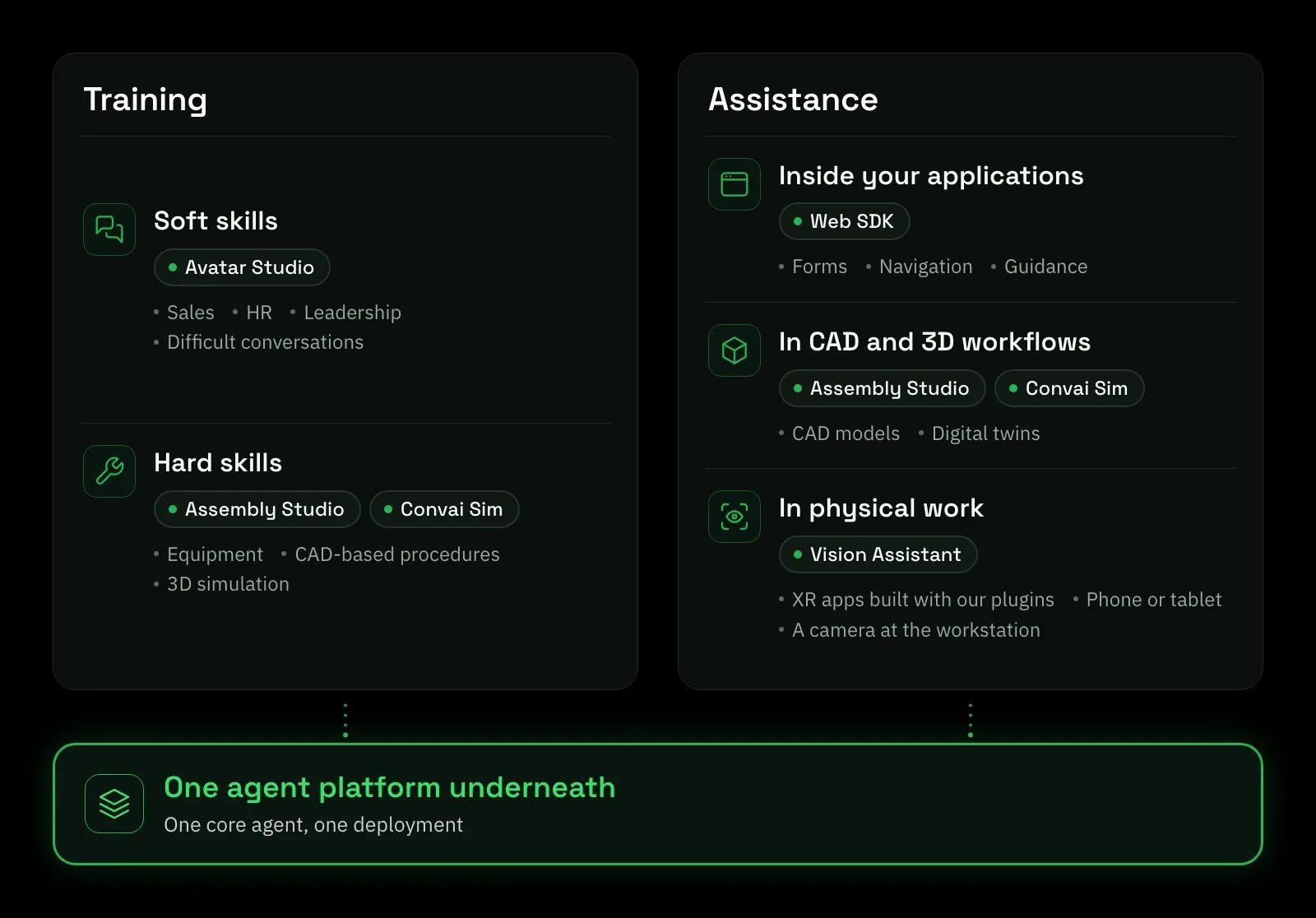
Add it all up and your people need two things: help learning the job, and help doing it. Training covers soft skills, practiced in conversation with Avatar Studio, and hard skills, learned on CAD models in Assembly Studio and in 3D simulation in Convai Sim. Assistance covers three places work happens: inside your web and desktop applications, in CAD and 3D workflows, and in physical work with the Vision Assistant.
Picture a plant bringing a new production line online. Shift leads rehearse conversations with their crews in Avatar Studio, while technicians learn each machine from its CAD model in Assembly Studio and walk a replica of the floor in Convai Sim. At the real equipment, the Vision Assistant guides them through each procedure. At the end of the shift, the agent in your web app helps them file the report.
You don't need a separate agent for each product. The agents you build are available across Avatar Studio, Assembly Studio and Convai Sim, and in your own apps through our plugins and SDKs: one core agent, one deployment, with agent management in one place.
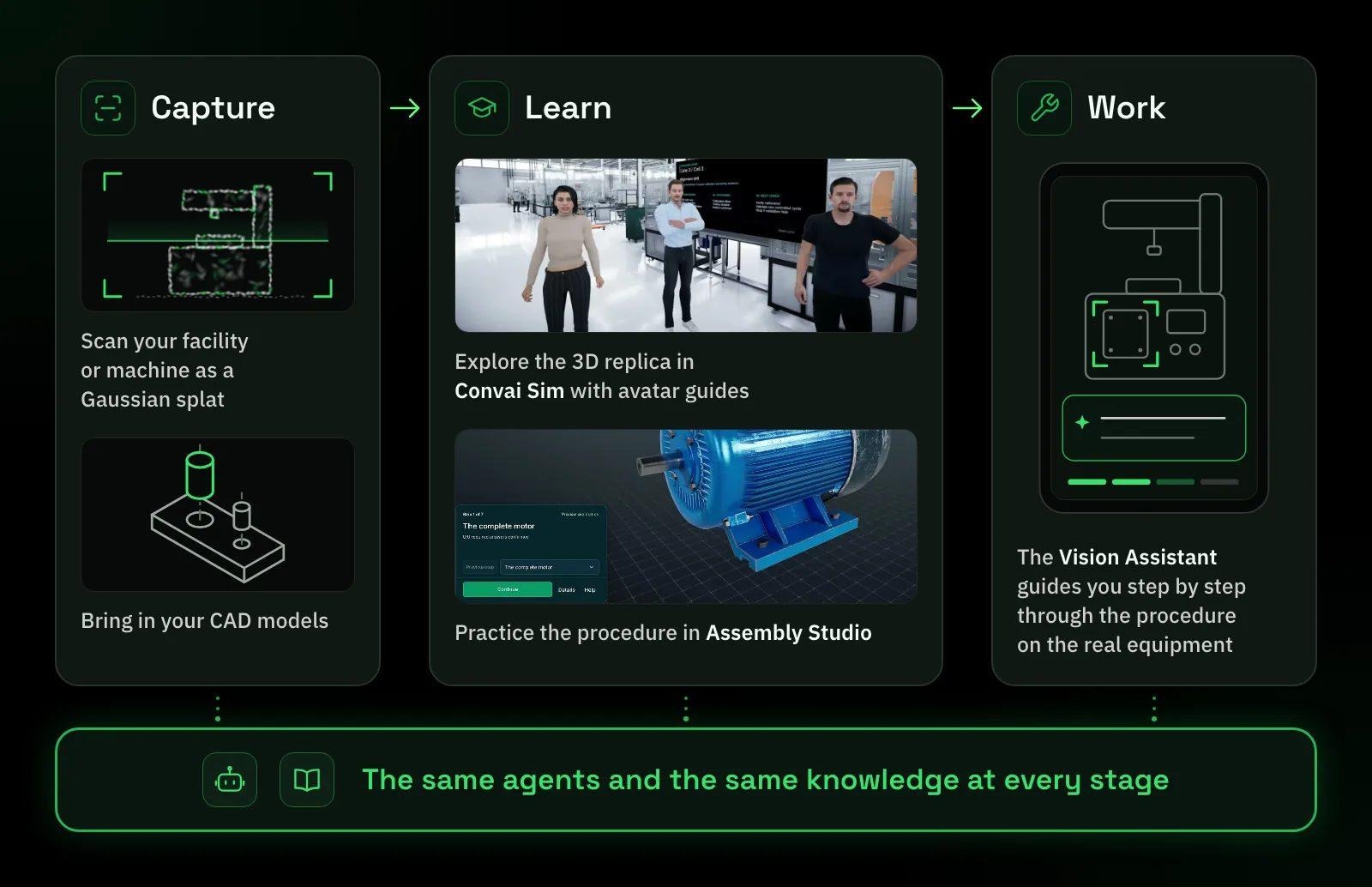
Assistance matters as much as training. When a question comes up on the job, your people can ask the agent first, and the person everyone asks can get on with their own work.
Also read: AI VR Training Simulation: What the Evidence Actually Shows
Every 3D experience has to be rendered somewhere, and you choose where. With AI only, the agent platform and AI models run on your servers, and your own applications and engines render the experience. It suits teams that build in Unity, Unreal Engine or the browser.
Choose the full package and Convai's pixel-streaming infrastructure renders your 3D experiences, such as avatars and Convai Sim scenes, on your own GPU servers and streams them to any browser, so trainees need nothing more than a laptop, tablet or phone.
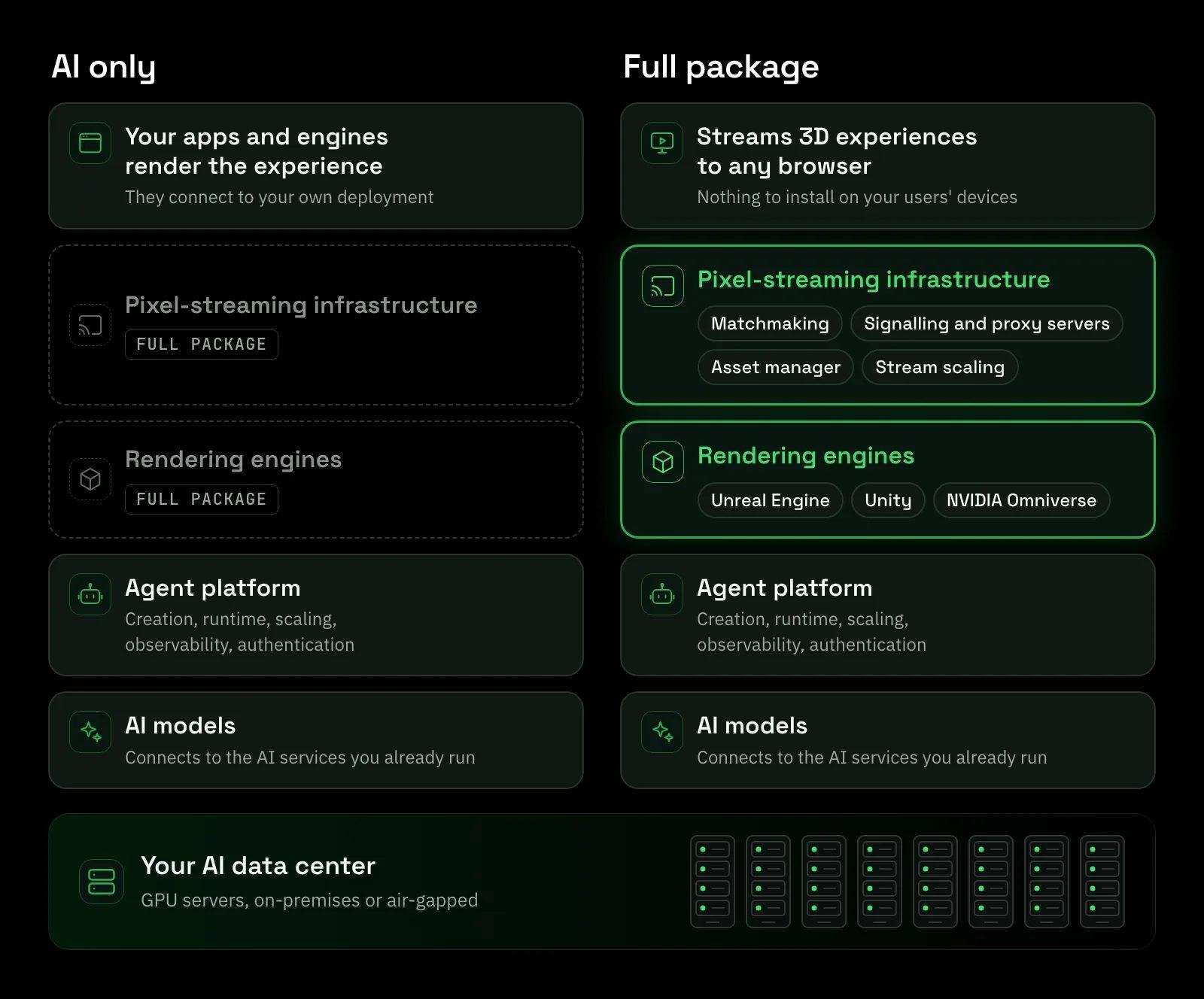
Either way, your applications connect to your own deployment, not Convai's hosted service, so requests and keys stay inside your network. The docs show how to point the Web SDK at your own deployment and, with the full package, how to run pixel streaming on your own servers. We're also making Convai available through AWS Marketplace and Azure Marketplace.
Also watch: AES 2026 Q&A: keeping your data on your own servers
Making the case internally? Three demos show the layers working together.
In a factory-floor tour inside a full 3D simulation, the AI guide takes visitors from one location to the next and explains what they're looking at. New hires can walk the line before their first shift on it.
Also watch: A factory digital twin with an AI tour guide
With a partner, we're using Assembly Studio for Mars rover maintenance and repair training: learning a procedure step by step and understanding how the rover is put together. Ask where a component sits, and the guide highlights it on the model.
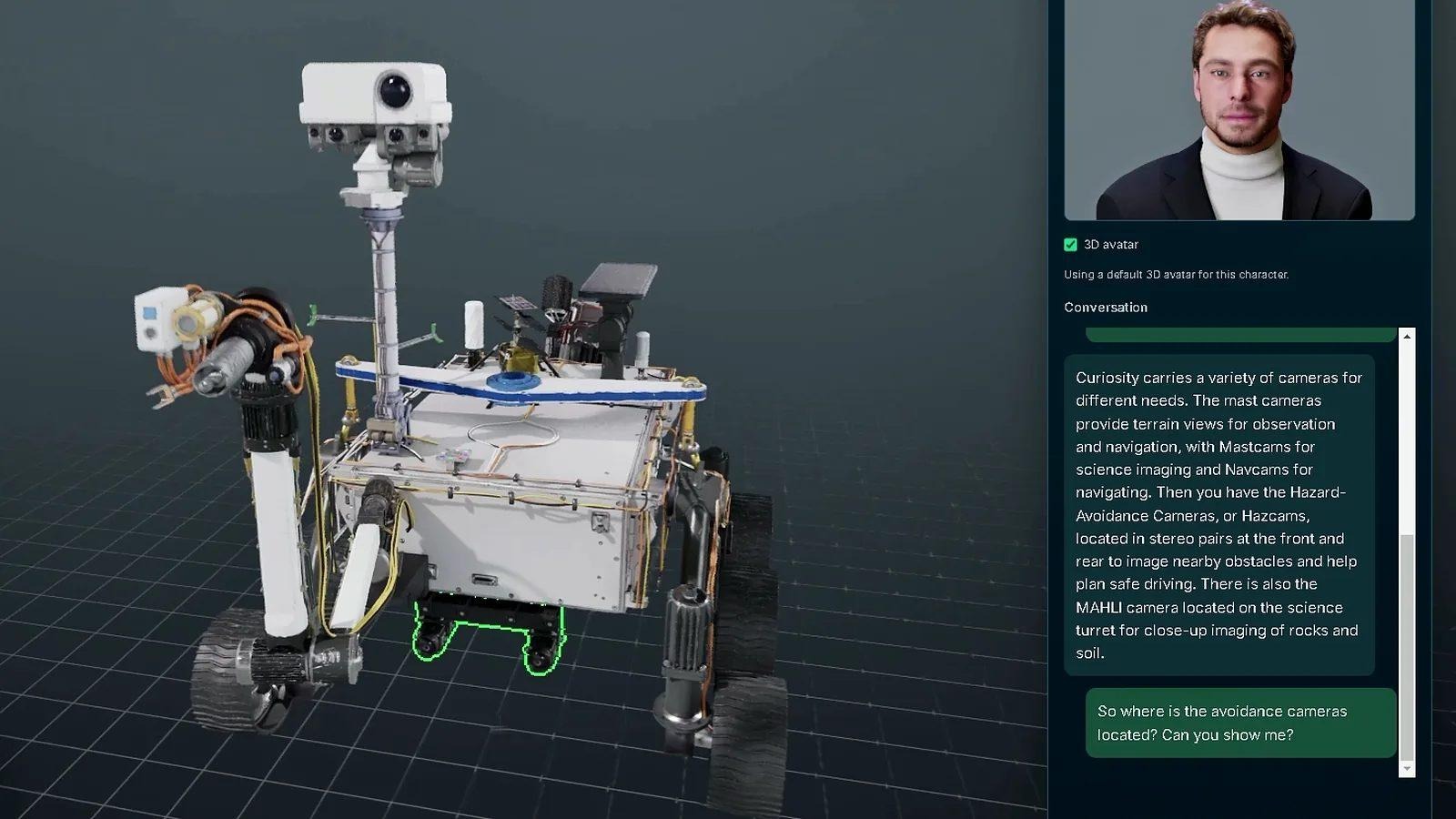
Our partner Buendea, which works with NASA, built a lunar training simulation with Convai. Astronaut trainees practice tasks such as repairing a power station, guided by an AI that sees what they see.
Yes. You can run the whole platform on your own servers or in your own cloud. Every component ships as a container, nothing leaves your network, and it can run fully air-gapped. Convai is SOC 2 compliant.
Yes. Use the models the platform provides, or connect the LLMs your enterprise already approves through an OpenAI-compatible endpoint.
Yes. The agents you build are available across all three, and in your own apps through our plugins and SDKs: one core agent, one deployment, managed in one place.
No. The Vision Assistant also works from the videos, PDFs, manuals and documentation you've already connected. When you do have CAD files, the same AI knows those too.
No. Avatar Studio and Convai Sim experiences run in a web browser, with nothing to install and no high-end GPU needed on the learner's device. With the full package, the 3D rendering happens on your own GPU servers and streams to the browser.
Ask your most experienced people which questions they answer again and again, and which of those answers already sit in a manual, a CAD file or a training video. That list is a good first scope for an agent.
For the whole story in one sitting, watch Convai CEO Purnendu Mukherjee at the Augmented Enterprise Summit 2026.
When your list is ready, talk with the Convai team about it and how you want to deploy.
Start with one use case
Pick one procedure, one application or one conversation. We will help you put an agent on it.
Tell us what your people need to learn or get done, and where your data has to stay.